
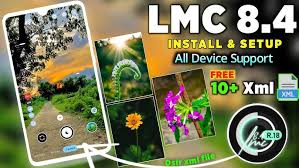
A smartphone camera is no longer limited to simple point-and-shoot photography. With the right camera application, Android users can experiment with different shooting modes, image processing, and manual settings. The LMC 84 APK File is a popular option for users who want to explore a more customizable camera experience on supported Android smartphones.
LMC 8.4 belongs to the GCam port category and is known for offering features that can enhance the overall photography experience. However, the available functions and performance depend on the specific smartphone, Android version, and camera hardware.
What Is LMC 8.4?
LMC 8.4 is a modified Google Camera port made for compatible Android devices. It uses computational photography techniques to process images and provides users with additional options for capturing photographs.
The application can be useful for people who are not fully satisfied with the features available in their phone’s default camera. It allows users to experiment with different modes and settings and, on compatible devices, use configuration files to fine-tune the camera.
Since Android smartphones have different processors, camera sensors, and software, there is no single setup that works perfectly for every device.
Why Do Android Users Try LMC 8.4?
The main attraction of LMC 8.4 is its combination of image processing and customization. A standard camera application may automatically select most settings, while a GCam port can provide users with additional control.
Photography enthusiasts can test different settings for daylight, portraits, indoor scenes, and nighttime photography. This flexibility makes the application interesting for users who like experimenting with their smartphone camera.
It is worth remembering that a camera port cannot change the physical capabilities of a smartphone sensor. The final image quality still depends on the phone’s hardware and software.
Main Features of LMC 8.4
LMC 8.4 includes several camera modes that can be useful in different photography situations.
HDR+ Enhanced
HDR+ is designed to improve exposure and preserve details in scenes containing both bright and dark areas. It can be useful for outdoor photographs, landscapes, and high-contrast environments.
By processing multiple frames, the camera can create a more balanced final image than a single exposure in some situations.
Night Photography
Night Sight is designed for low-light conditions. It captures multiple frames and processes them to create a brighter image with improved visibility.
Results depend on the phone’s camera sensor and settings, but compatible devices can benefit from this mode when photographing at night or in dim indoor environments.
Portrait Mode
Portrait Mode is intended to make the main subject stand out by creating a background blur effect. It can be useful for taking pictures of people, pets, and close-up subjects.
For a natural result, users should avoid extremely dark environments and maintain a reasonable distance between the subject and the background.
Astrophotography
Some compatible devices support astrophotography for capturing stars and night landscapes. This type of photography usually requires a longer exposure, so movement can negatively affect the image.
A tripod or stable surface is recommended when using this mode.
RAW Capture
RAW photography provides more flexibility for users who like editing their images. It can preserve additional image information that may be useful when adjusting exposure, highlights, shadows, and colors during post-processing.
RAW support depends on the device and its camera capabilities.
LMC 84 APK File Compatibility
Before installing the LMC 84 APK File, users should determine whether the application is compatible with their smartphone.
Several technical factors can affect performance, including:
- Android version
- Processor and chipset
- Camera2 API availability
- Camera sensor
- Device firmware
- Camera lens support
- Memory and processing resources
Some smartphones may support most features, while others may have limitations. For example, a particular camera lens may not be detected, or the application may become unstable with certain settings.
If this happens, users can look for a version or configuration specifically suited to their device.
XML Config Files Explained
XML configuration files are useful for people who want to customize LMC 8.4 without changing every setting manually.
An XML file can contain a collection of predefined camera parameters. Depending on the configuration, it can affect color rendering, exposure, sharpness, contrast, noise reduction, and other image-processing options.
Using a device-specific configuration is generally preferable because smartphone cameras have different sensors and characteristics.
It can also take some experimentation to find the configuration that produces the preferred image style. Users may want to keep backups of configurations that work well.
Installation Guide for Android
Installing an APK is normally a simple process, but users should pay attention to the source of the file.
First, download a compatible LMC 8.4 version from a source you trust. After the download is complete, locate the APK using your phone’s file manager.
Tap the file and follow the installation instructions. Depending on the Android version, the phone may display a warning about installing an application from an external source.
Only allow installation when you have verified that the file is trustworthy. After installation, open the camera application and grant the permissions needed for its basic functions.
The appearance of these settings can differ between Android manufacturers.
Tips for Getting Better Results
The right settings can make a noticeable difference when using a camera port.
For daytime scenes, HDR+ can help balance different levels of brightness. Night Sight can be useful when there is limited light. Portrait Mode generally works best when the subject is separated from the background.
For night-sky photography, keep the smartphone stable throughout the exposure. Even small movements can cause blur.
It is also helpful to test different XML configurations rather than changing many settings randomly. This makes it easier to understand which settings improve the results on your particular device.
LMC 8.4 or Stock Camera?
The default camera application is usually optimized by the phone manufacturer and is designed to work with the device’s native hardware. It is generally easier to use and requires minimal setup.
LMC 8.4 is aimed more at customization. Users who enjoy experimenting with camera settings may appreciate its additional controls and configurations.
For everyday snapshots, the stock camera can be a convenient choice. For photography enthusiasts, a GCam port can provide more opportunities to experiment.
The best option ultimately depends on the smartphone and the user’s individual preferences.
Safety Considerations
LMC 8.4 is a third-party application, so downloading the APK from a reliable source is important. Avoid suspicious download pages, unknown files, and applications that request unnecessary permissions.
Before installing, check that the APK matches your Android version and device requirements. Keeping the phone’s security settings active is also recommended.
Users should remember that third-party APK installation carries more responsibility than installing an application through an official app store.
Conclusion
LMC 8.4 is a flexible camera solution for Android users who want to explore additional photography features. With options such as HDR+, Night Sight, Portrait Mode, astrophotography, RAW capture, and XML configurations, it can provide more customization than a basic camera application.
Compatibility is the most important factor to consider because every smartphone has different camera hardware and software. Selecting the appropriate version and configuration can help users achieve a smoother experience.
For Android users interested in experimenting with smartphone photography, LMC 8.4 offers a range of tools worth exploring.
