
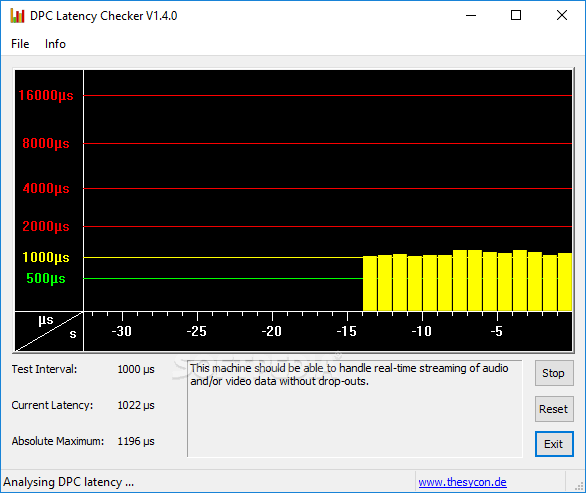
Smooth computer performance is important for gaming, music production, video playback, streaming, and everyday tasks. Sometimes, however, a computer may experience unexplained audio interruptions, stuttering, or short delays even when the hardware appears capable. One factor worth investigating is DPC latency. DPC Latency Checker provides a useful starting point for learning about latency and exploring possible causes of Windows performance issues.
What Is DPC Latency?
DPC Latency Checker is a resource dedicated to understanding Windows latency and related performance concerns. DPC stands for Deferred Procedure Call, a mechanism used by Windows to handle certain system tasks efficiently.
Hardware devices and their drivers can request system attention through these processes. If a driver takes too long to complete its work, other tasks may have to wait. In some situations, this can contribute to noticeable interruptions.
Understanding latency can help users investigate performance problems more systematically rather than relying on guesswork.
Common Symptoms of Latency Issues
Latency-related problems can appear differently depending on how a computer is being used. Audio users may experience crackling, popping, or dropouts while recording or playing sound.
Other users might notice occasional stuttering, brief freezes, or inconsistent system responsiveness. Gamers may investigate latency when they experience unexplained interruptions during gameplay.
These symptoms do not necessarily mean that DPC latency is the cause. Similar problems can result from drivers, applications, hardware, overheating, or other system conditions.
Drivers and Their Importance
Device drivers are an important part of Windows because they allow the operating system to communicate with hardware. A problematic driver can sometimes interfere with normal system performance.
Audio devices, graphics cards, network adapters, storage controllers, and other components all depend on drivers. If a driver is outdated, incompatible, or malfunctioning, it may be worth investigating when performance problems occur.
Recent driver changes can also provide useful clues. If a problem appeared shortly after installing or updating a driver, that change may deserve additional attention.
DPC Latency for Audio Users
People who work with music and professional audio often need computers to process information consistently. Real-time recording and monitoring can be sensitive to system interruptions.
If the computer cannot process audio tasks efficiently, users may hear unwanted clicks, pops, or dropouts. These problems can interrupt recording sessions and make live monitoring difficult.
Checking latency can be one part of the diagnostic process. Users can then investigate audio drivers, interface settings, background applications, and other potential causes.
DPC Latency and Gaming
Gamers expect their systems to respond quickly and consistently. Stuttering or unexpected delays can make games less enjoyable, but there are many possible reasons for these issues.
Graphics drivers, processor usage, GPU performance, temperatures, network conditions, and game settings can all affect gameplay. DPC latency is another factor that can be considered when troubleshooting unusual system behavior.
A complete diagnosis should therefore examine several performance factors rather than assuming that latency is responsible.
Background Programs and System Resources
Applications running in the background can influence computer performance. Antivirus tools, system utilities, update services, monitoring programs, and hardware-management software may all use system resources.
When investigating latency, users can review active processes and identify programs that are unnecessary during demanding tasks.
It is best to make changes gradually. Closing or disabling one program at a time allows users to determine whether it has any effect on the issue.
Checking and Managing Drivers
Keeping important drivers compatible with the operating system is an important part of maintaining a stable computer. Manufacturers may release updates that address bugs, improve compatibility, or add support for newer hardware.
However, updating drivers is not always the complete solution. If a problem begins after an update, users may need to investigate whether the new driver is related to the change.
Keeping notes about driver updates and other system modifications can make troubleshooting easier.
A Practical Way to Investigate Latency
A systematic approach can make performance troubleshooting more effective. First, identify the exact symptoms and determine when they occur.
Next, consider recent changes to the computer. New hardware, software, drivers, or operating-system updates can sometimes provide important clues.
After that, use suitable diagnostic resources to examine system behavior. If a potential cause is identified, make one adjustment at a time and test the computer again.
This approach helps users avoid making multiple changes that could make the original problem harder to identify.
Other Possible Causes of Stuttering
DPC latency is only one possible explanation for poor computer performance. Overheating, limited memory, storage problems, software conflicts, graphics settings, and hardware limitations can also cause interruptions.
For online applications, network problems may create delays that feel similar to system performance issues. This is why users should examine the broader environment rather than focusing exclusively on latency.
Combining latency information with general system diagnostics can provide a clearer picture of what is happening.
Maintaining a Stable Windows System
Good system maintenance can help reduce unexpected performance problems. Users should keep their operating system and essential drivers properly maintained and remove unnecessary software when appropriate.
Monitoring processor usage, memory consumption, temperatures, and storage health can also provide useful information when troubleshooting.
If a problem occurs repeatedly, documenting when it happens and what applications are running can help identify patterns.
Conclusion
DPC latency can be an important consideration when investigating Windows performance problems, particularly for users working with real-time audio, gaming, streaming, and other demanding applications.
DPC Latency Checker offers information that can help users understand latency and explore possible performance issues. Checking drivers, background applications, hardware, and system resources can help narrow down potential causes.
The most effective troubleshooting approach is usually methodical. By identifying symptoms, reviewing recent changes, testing potential causes individually, and considering the entire system, users can work toward a more stable and responsive computer.
